BLUETTI Apex 300 Review: Serious Home Backup Power That Grows With You
BLUETTI provided the Apex 300 for us to test and review. As always, all opinions are our own.
A few days before we began testing the BLUETTI Apex 300, nearby wildfire smoke pushed air quality in the B.C. Southern Interior to the worst in the world. The same smoke and ash were also causing flickering lights and brief power interruptions as they affected nearby power lines. You can read more about the conditions in this Castanet report on Southern Interior air quality.
It was a timely reminder that outages don’t always arrive with a major storm.
We wanted to see how well the Apex 300 could keep a home office and essential household devices running, while still offering room to grow into a larger backup system later.
What is the BLUETTI Apex 300?
The BLUETTI Apex 300 is a large, expandable power station designed for home backup, RV travel and off-grid power.
One Apex 300 gives you:
- 2,764.8Wh of battery capacity
- 3,840W of continuous output
- Up to 7,680W of lifting power for compatible high-demand appliances
- 120V and 240V power
- Six AC outlets
- 0ms UPS functionality
- App controls through Wi-Fi and Bluetooth
- A LiFePO4 battery rated for more than 6,000 cycles
It weighs approximately 84 pounds and measures 20.67 by 12.87 by 12.6 inches. It’s considerably more substantial than the small power stations we use for charging phones at a picnic, though still compact for the amount of power it provides.
The idea behind the Apex 300 is that you can start with one unit for everyday backup, then add batteries, solar equipment and home integration accessories if your needs grow.
Use code BFNApex300 for an extra 6% off the BLUETTI Apex 300 series on the BLUETTI Canada website.
In the USA? Shop the BLUETTI USA site.
BLUETTI Apex 300 specifications
Here are the main Apex 300 specifications at a glance:
- Capacity: 2,764.8Wh
- AC output: 3,840W
- Power Lifting Mode: Up to 7,680W
- Battery type: Automotive-grade LiFePO4
- Battery life: 6,000+ cycles to 80% capacity
- UPS switching: 0ms in Canada and the United States
- Solar input: Up to 2,400W using the standard solar inputs
- AC outlets: Six
- Weight: 83.78 pounds or 38 kilograms
- Dimensions: 20.67 by 12.87 by 12.6 inches
- Warranty: Five years
The Apex 300 also supports app control through both Wi-Fi and Bluetooth. BLUETTI lists a noise level of approximately 40 dB in Silent Mode and 50 dB in Standard Mode. We can confirm it was very quiet even under a strong load.
Setting up the BLUETTI Apex 300
Despite its size and power, the Apex 300 is designed to be relatively straightforward to use.
You can charge it from a household outlet, connect your devices directly and begin using it without installing a full home battery system.
We opened the box and it came with the Apex 300, a User Manual, Car Charging Cable, AC Charging Cable, and a Grounding Screw.
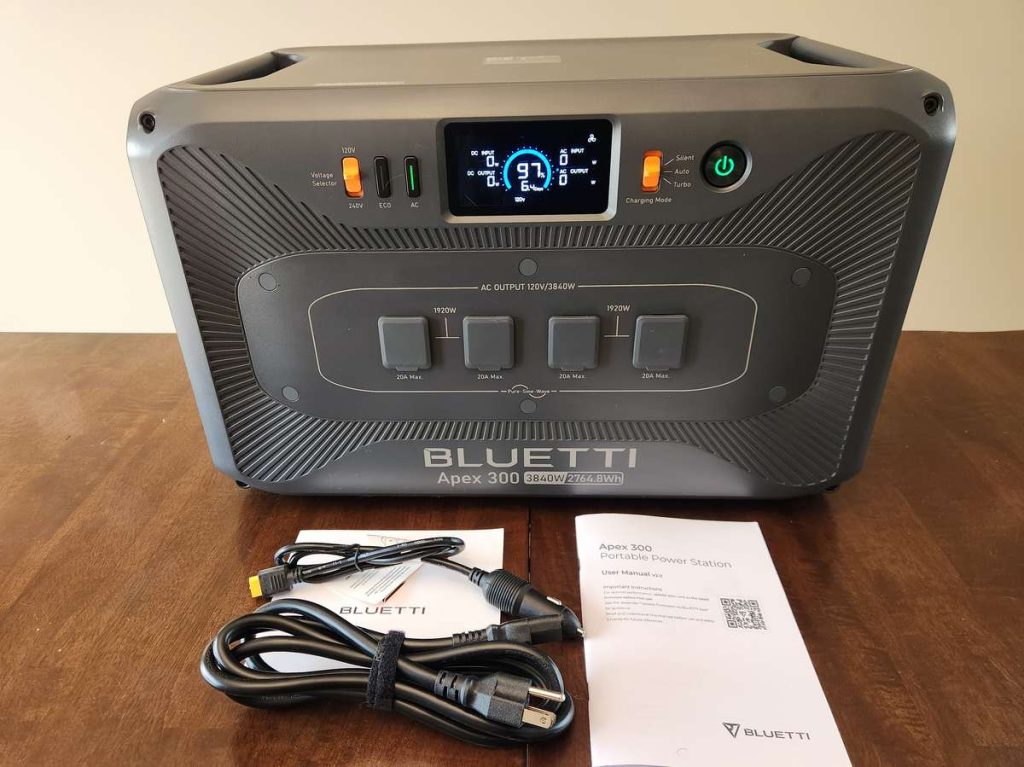
We both pulled it out of the box, one grabbing each handle, and it was easy to lift out of the box with the two of us but would probably be a bit of a challenge for a smaller person to do alone.
At almost 84 pounds, it’s portable in the sense that you can move it between your home, garage and RV. Most people probably won’t want to carry it farther on their own. Charles was able to lift it up by both handles and carry it around, though admittedly with a bit of effort.
The recessed handles help, and BLUETTI also offers an optional trolley for easier movement if you plan to move it often though it’s that’s your use case for it.
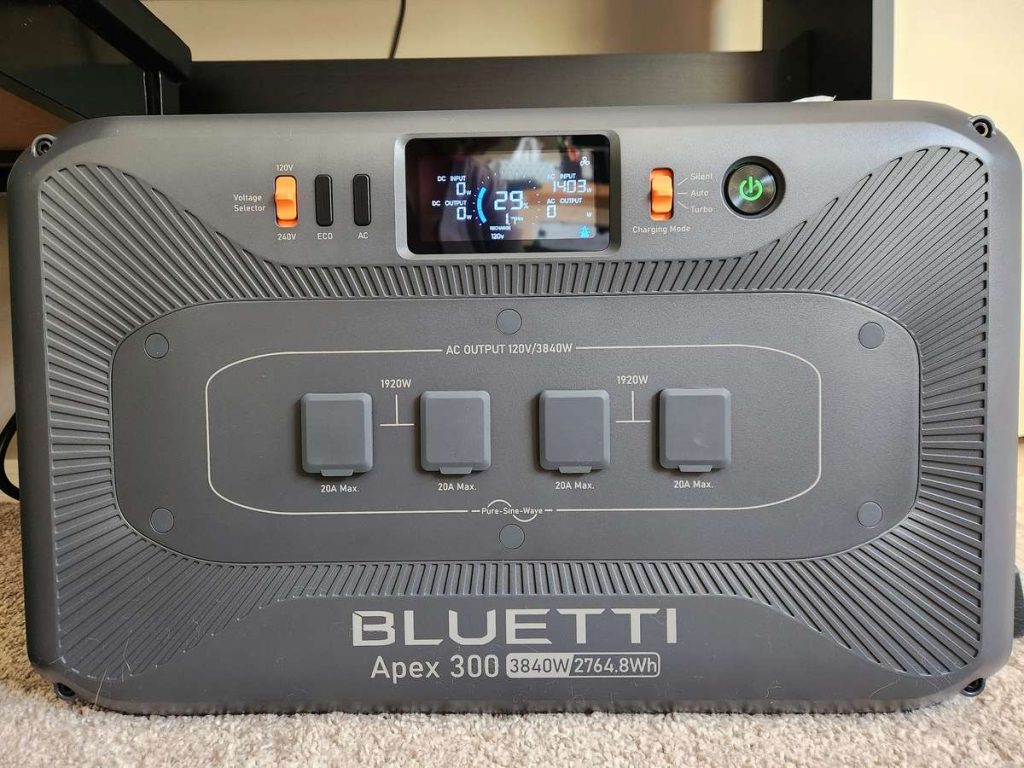
The front display shows the remaining battery percentage, incoming power, outgoing power and estimated runtime.
Overall, the display and controls are logical and intuitive to use.
Using the Apex 300 as home office backup
Our home office was one of the first places we wanted to test the Apex 300.
We run multiple websites, produce photo and video content and regularly work on sponsored campaigns with firm deadlines. Losing power can mean losing hours of work, especially when laptops, monitors, phones and camera batteries all need charging at the same time.
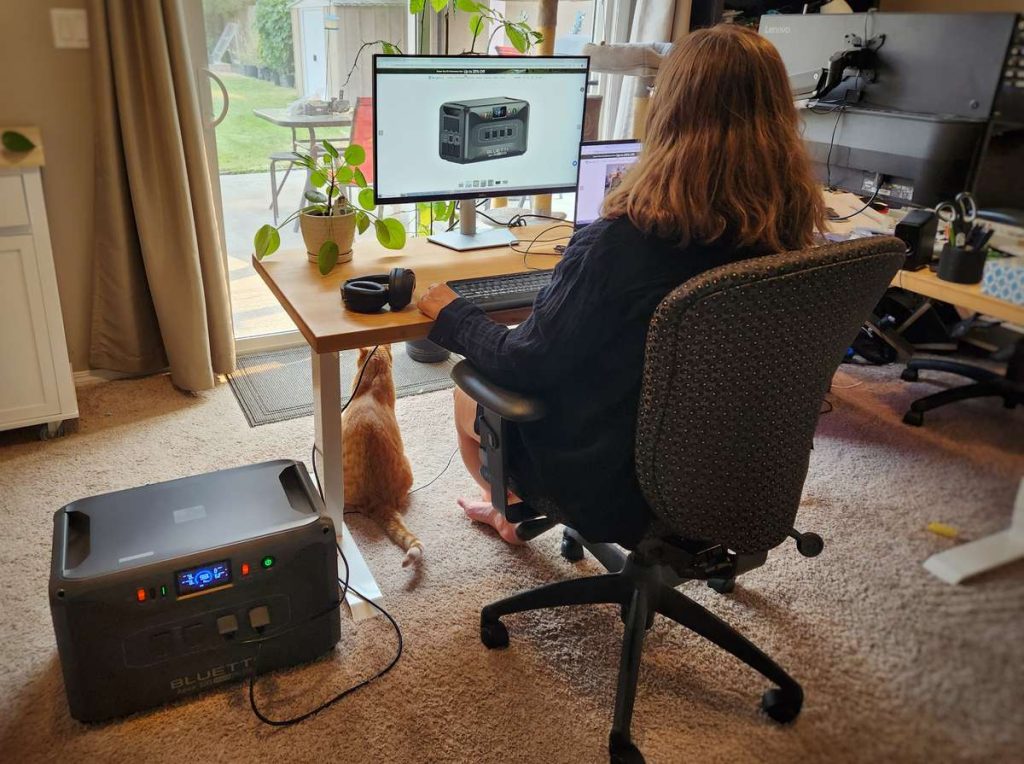
For our home office test, we connected my laptop and monitor.
At that load, the Apex 300 estimated that it could keep everything running for approximately 2.4 days.
The fan never turned on, and honestly I forgot the apex 300 was even there.
The Apex 300’s 2,764.8Wh capacity is far more than we’d need simply to recharge a laptop. It gives us enough power to keep working normally rather than rationing every device and charger.
That’s the difference between basic emergency charging and practical home office backup.
Can it power a modem and router?
Yes, a modem and router are relatively low-power devices and could easily be included in a home office backup setup.
We haven’t made them a central part of this test because keeping your networking equipment powered doesn’t guarantee that your internet provider’s local equipment will remain online during a wider outage.
Still, having the ability to keep the modem and router running gives you the best chance of maintaining your connection. A phone hotspot can provide another backup option if the local internet service goes down.
Testing the Apex 300 with household essentials
A home backup system also needs to handle more than office equipment.
During an outage, most households will prioritize some combination of refrigeration, lights, phones and basic kitchen equipment. Winter can pose other problems however it’s nothing a larger battery can’t solve.
The Apex 300’s 3,840W output gives it enough power to run many common household appliances simultaneously. Its 7,680W lifting mode is intended to help with compatible resistive appliances that temporarily need more power.
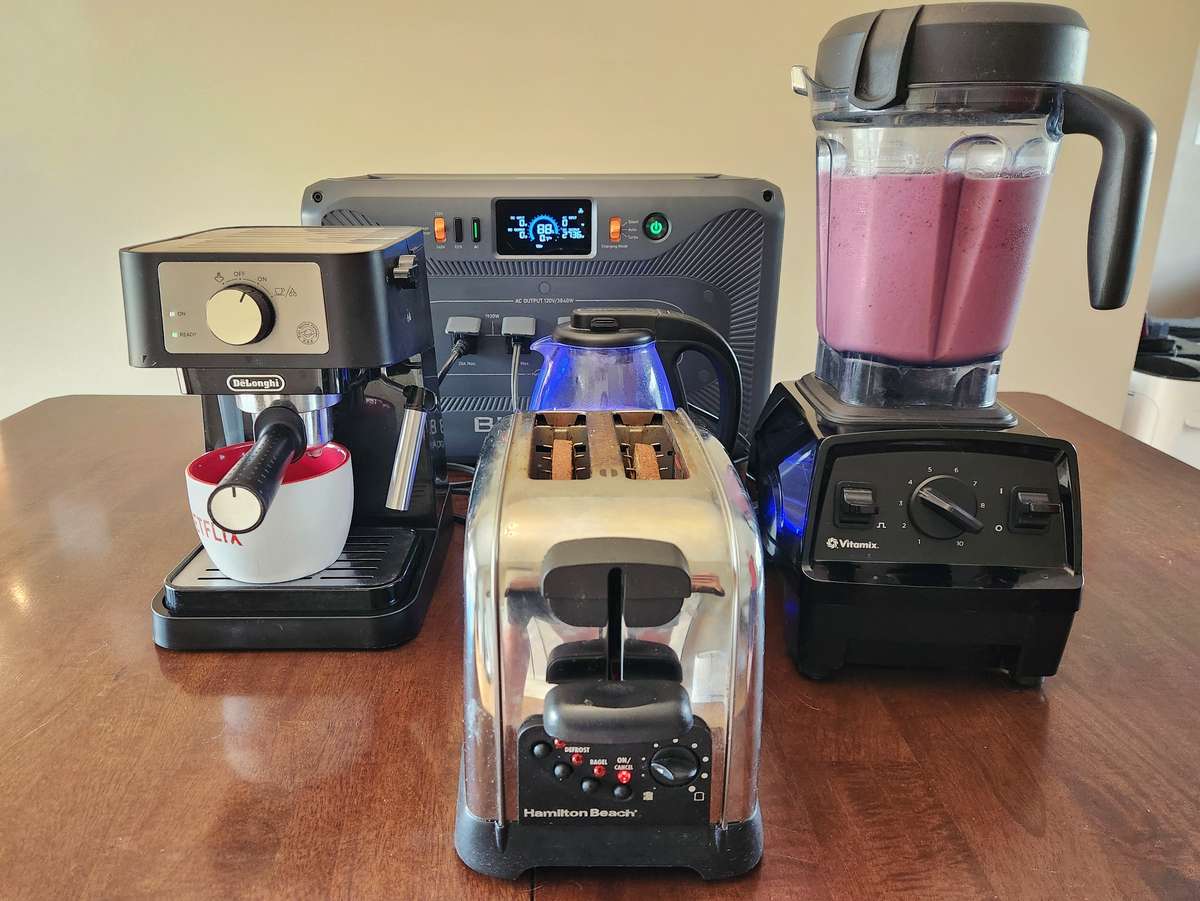
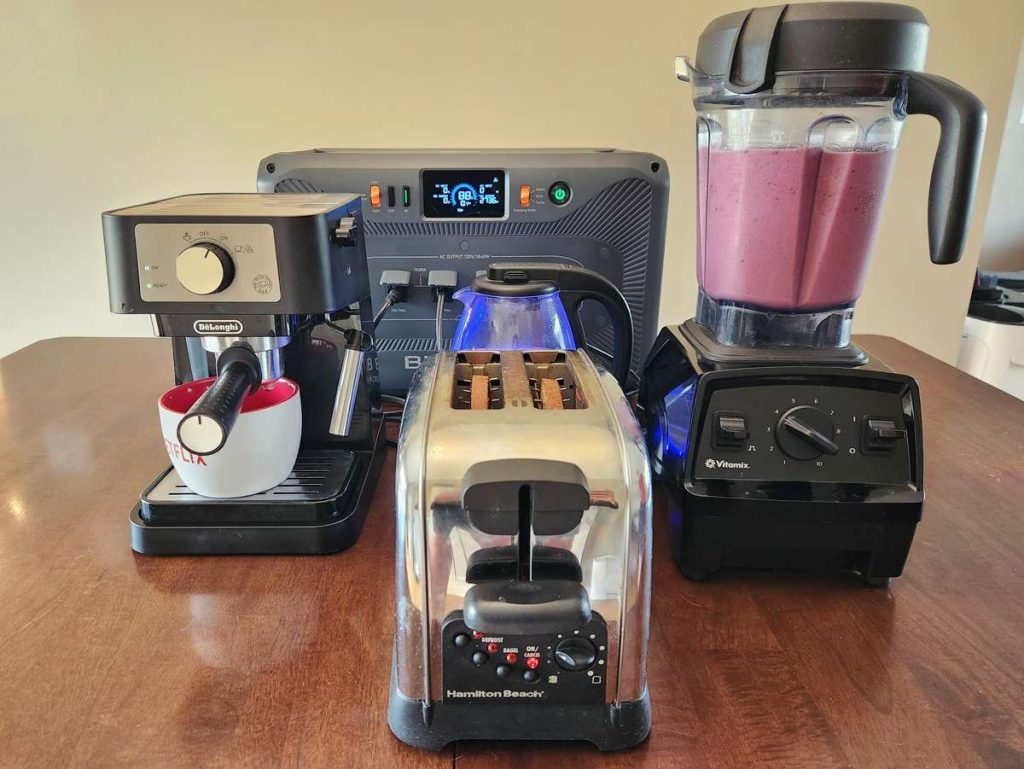
For our first household test, we connected our:
- kettle
- espresso machine
- blender
- toaster
The combined load peaked at well over 3,300 watts, which the Apex 300 handled easily.
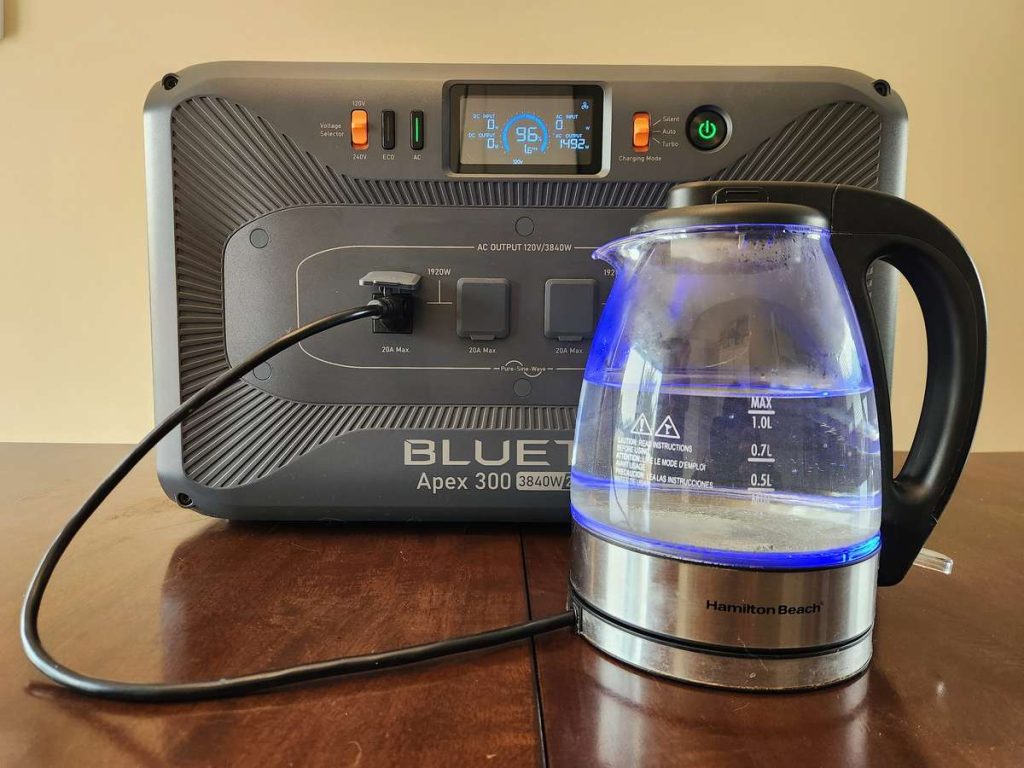
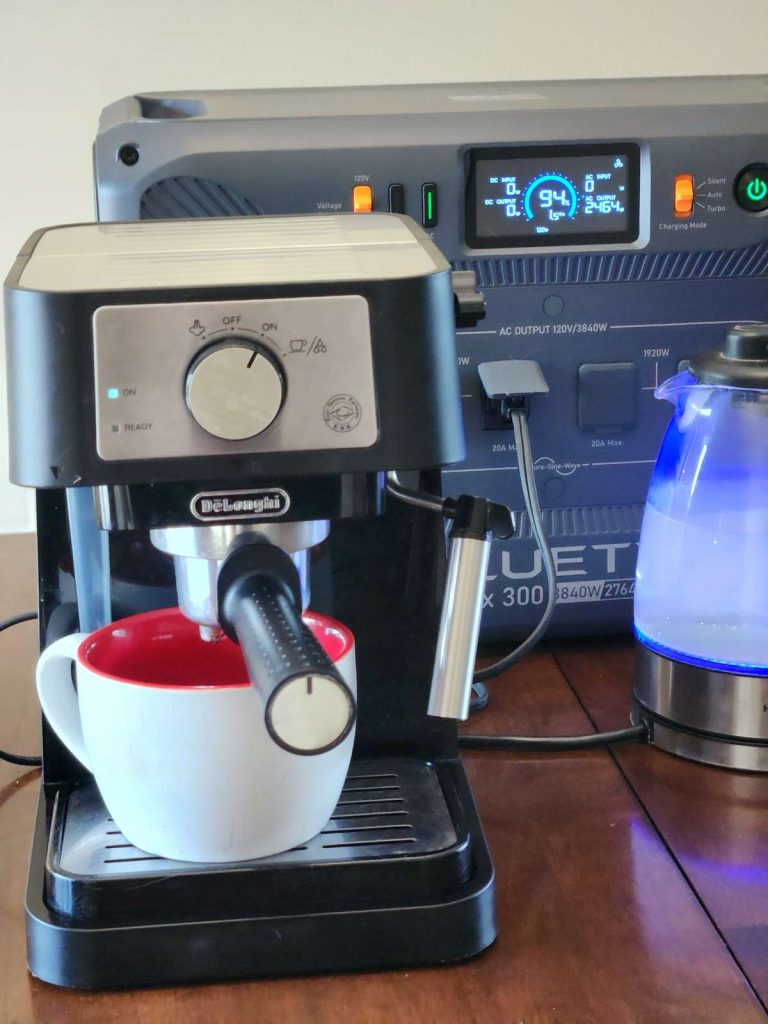
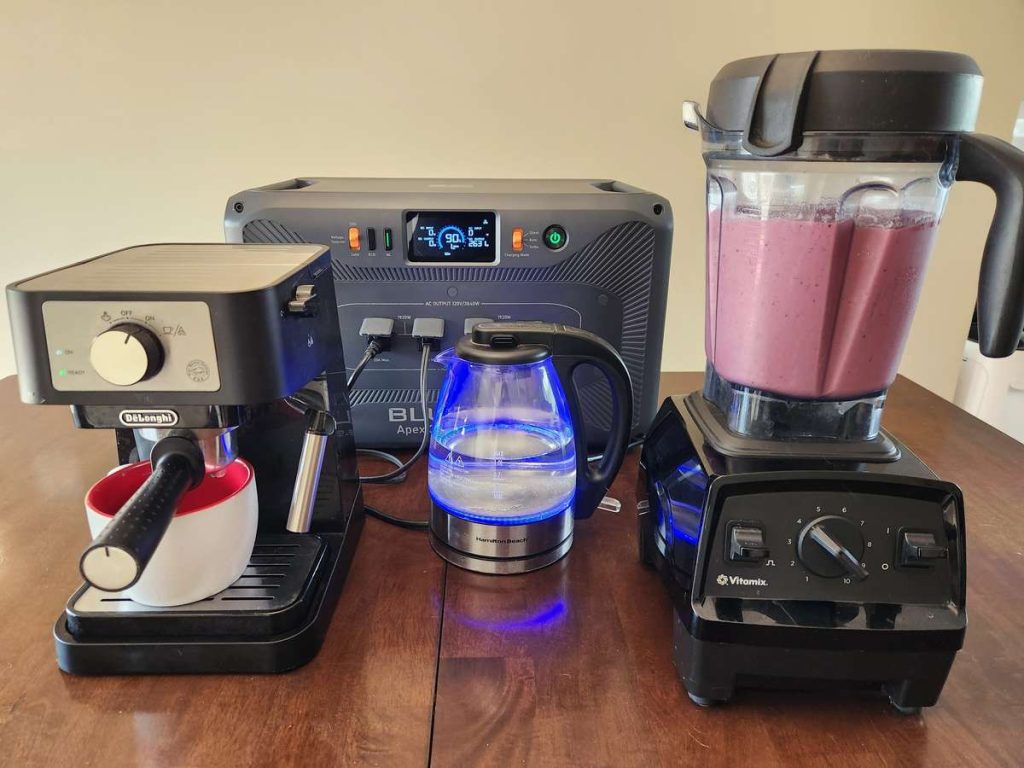
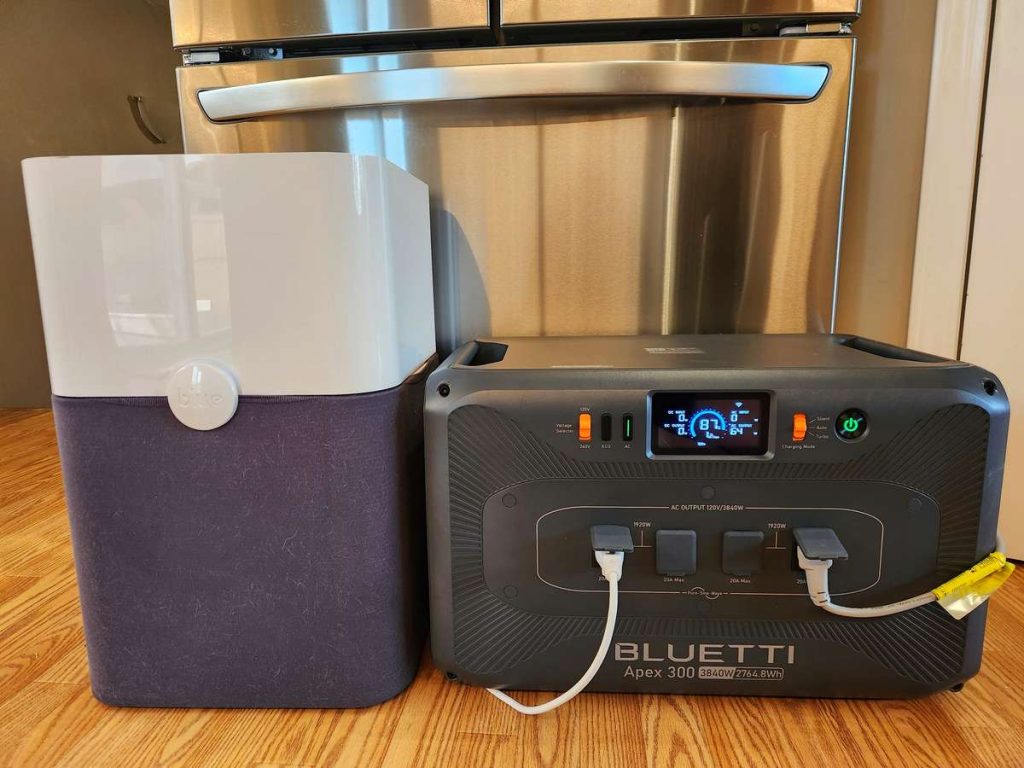
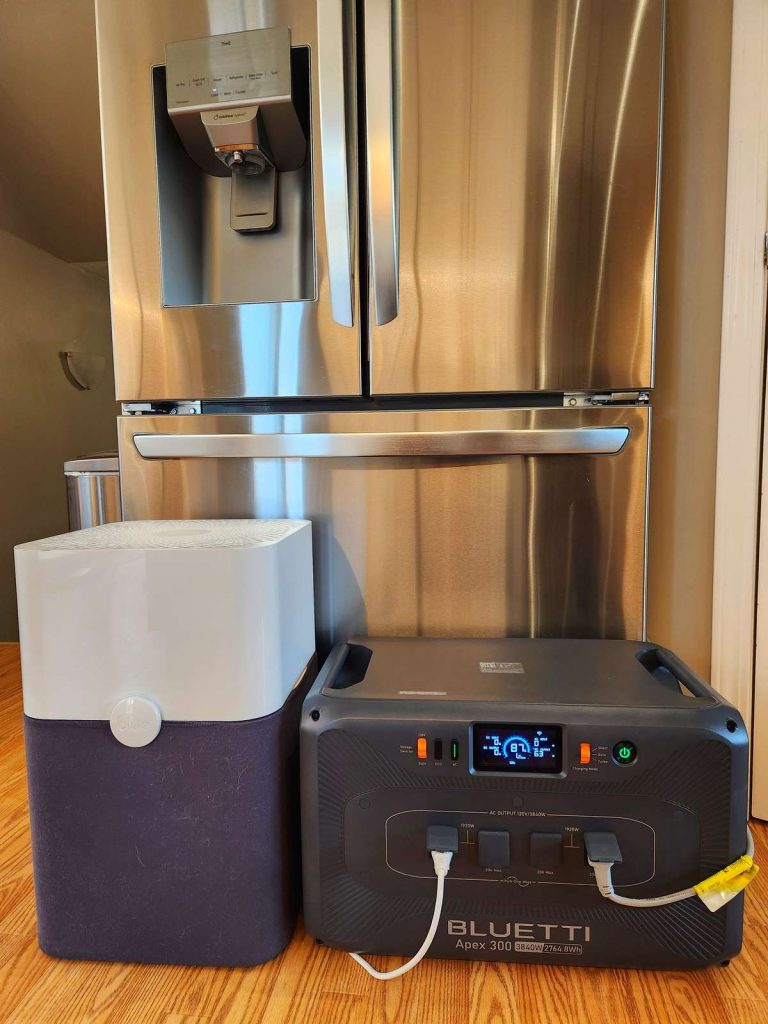
We also tested a combo of our fridge and air purifier.
When the power goes out during wildfire season, an air purifier is an absolute must have item, along with keeping our fridge up and running.
It drew approximately 84 watts, and the Apex 300 had zero problems running them together. It could have run this combo for 2 days without a charge and still had enough power to make us toast in the morning.
Higher-powered kitchen appliances can use a lot of energy, though they generally run for only a few minutes. Being able to heat food, boil water or make coffee can make a power outage considerably easier to live with.
Backup power during wildfire season
Wildfire smoke doesn’t usually come to mind as a cause of power interruptions.
BC Hydro explained that smoke, ash and airborne particles can build up around power lines and electrical equipment. Under some conditions, that can create faults and trigger brief interruptions or fluctuations.
That was exactly what people across the B.C. Interior were reporting while we were preparing this review.
For a household trying to keep windows closed during heavy smoke, backup electricity could also help run a fan, an air purifier, small air conditioner or other indoor equipment.
The Apex 300 can’t prevent an outage, of course. However it can keep the devices you depend on operating while the grid stabilizes or until power is restored.
The Apex 300’s 0ms UPS function
The Apex 300 can also function as an uninterruptible power supply, or UPS.
In a UPS setup, your equipment stays plugged into the Apex 300 while the power station remains connected to the grid. If grid power fails, the Apex switches to battery power.
BLUETTI lists a 0ms UPS switching time for the Apex 300 in Canada and the United States. That means compatible connected equipment shouldn’t experience a noticeable interruption.
This is especially useful for equipment that doesn’t have its own internal battery, such as:
- Desktop computers
- External monitors
- Network storage
- Some medical equipment
- Security systems
- Other sensitive electronics
A laptop can continue running on its own battery during a brief flicker. A desktop computer or external drive may immediately shut down.
For a home office, the UPS feature may be just as valuable as the Apex 300’s overall battery capacity. Even a very short power interruption can be enough to restart equipment or interrupt active work. The bonus is that the Bluetti includes pass through technology so if it’s plugged in, the battery isn’t constantly being drained and refilled. That means that you don’t have to worry about shortening the devices long, long lifespan.
Charging the BLUETTI Apex 300
The Apex 300 supports several charging methods, including:
- AC household power
- Portable solar panels
- Higher-capacity solar systems with optional equipment
- Compatible generators
- EV charging with the appropriate accessory
- 12v car plugs (cable included)
- Combined charging setups
BLUETTI lists standard solar input at up to 2,400W. With ideal solar conditions, the company says this can charge the battery to 80 percent in approximately 40 minutes and fully charge it in around 80 minutes.
Actual solar performance will depend on the panels, weather, shade, temperature and panel position. The Apex 300 came to us charged at 24%, and it took less than 60 minutes to charge to 100% on Auto mode.
You can drop the charge style to Silent to keep the fan noise off (it charges at a slower rate) or change it to Turbo where it charges the fastest but at a cost of stronger fan noise. Fast charging is particularly useful when outages are intermittent. You may have only a limited window of grid power or generator access before you need the battery again.
Using the BLUETTI app
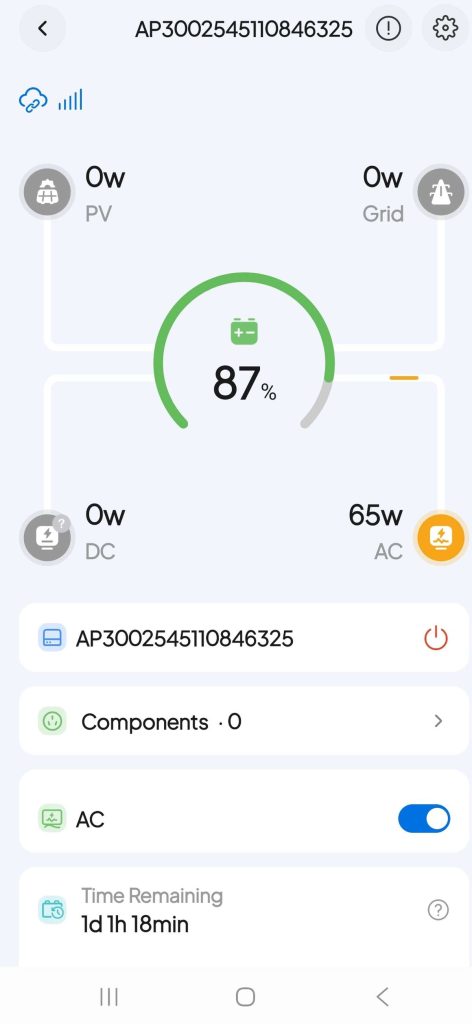
The Apex 300 connects to the BLUETTI app using Wi-Fi or Bluetooth.
The app can be used to:
- View current power input and output
- Monitor battery level
- Change charging settings
- Control AC output
- Install firmware updates
- Review power usage
- Manage supported energy-saving features
BLUETTI also includes an extreme weather alert feature. When enabled, the system can prepare for a possible outage by charging in advance.
The physical controls and screen still allow you to use the Apex 300 without relying entirely on the app.
How much can one Apex 300 power?
One Apex 300 has enough output to run a substantial combination of household or office equipment. The real limit during most outages will probably be battery capacity rather than output.
A 100W office setup can run far longer than a 1,500W appliance, even though the Apex 300 is capable of powering both. Refrigerators and freezers also cycle on and off, so their real energy use varies throughout the day.
The Apex display helps by showing actual output and recalculating its estimated runtime as devices are added or removed. That makes it easier to decide what matters most during an outage.
You might run a refrigerator continuously, for example, while using a microwave or coffee maker only briefly. At night, you could disconnect office equipment and reserve more power for household essentials.
Start with one Apex 300 and expand later
The Apex 300’s biggest advantage is its modular design. One unit works as a plug-and-play power station with 2764.8Wh of storage and 3,40W of output.
Compatible expansion batteries can add more runtime. BLUETTI’s product materials list support for the B300K, B300 and B300S battery packs.
Multiple Apex 300 units can also be connected using the appropriate BLUETTI equipment. A fully expanded configuration can provide:
- Up to three Apex 300 units
- Up to 18 expansion batteries
- As much as 58kWh of storage
- Up to 11.52kW of output
That’s enough to move the Apex 300 from backup power for selected devices toward a much more extensive home energy system.
The benefit is that you don’t need to purchase the full system immediately. You can start by keeping your office, refrigerator and essential devices running. Later, you can add batteries or deeper home integration if you find that you need more capacity.
Partial and whole-home backup
While one Apex 300 powers multiple appliances and electronics plugged directly into its outlets, using it to power household circuits or create a whole-home backup system requires additional BLUETTI equipment.
Available accessories include:
- B300K expansion batteries: Add more energy storage
- Hub A1: Connects multiple Apex 300 units for greater output
- SolarX 4K: Supports larger solar charging systems
- AT1 Smart Distribution Box: Integrates the Apex system with household electrical circuits, solar, grid power and compatible generators
- Hub D1: Adds USB and DC connections
- Trolley: Makes the Apex 300 easier to move
The AT1 setup can manage power from the grid, batteries, solar panels and a compatible generator. It can also prioritize selected household loads during a longer outage.
A more advanced home installation may require a qualified electrician. Buyers should check the exact requirements for their chosen configuration before ordering.
Battery life and efficiency
The Apex 300 uses automotive-grade LiFePO4 battery cells.
BLUETTI rates the battery for more than 6,000 cycles before it reaches 80 percent of its original capacity. That’s substantially longer than the cycle rating offered by many older lithium-ion power stations.
BLUETTI has also focused on reducing the energy the Apex 300 uses while operating. Its low self-consumption matters when you’re running smaller loads for long periods. A power station that consumes a significant amount of its own battery simply by staying on can shorten the useful runtime of a refrigerator, modem or small office setup.
Ports and the optional Hub D1
The base Apex 300 includes seven AC 120 outlets. For people who need USB ports or more DC connections, BLUETTI offers the optional Hub D1.
For people who need USB ports or more DC connections, BLUETTI offers the optional Hub D1.
The Hub D1 adds:
- Two 100W USB-C ports
- Two USB-A ports
- Two cigarette lighter sockets
- Two DC5521 ports
- One 50A Anderson port
- Up to 700W of DC output
It can be attached directly to the Apex 300, secured separately or permanently mounted in an RV. Unfortunately, we didn’t have the D1 hub to test out ourselves however it’s worth noting BLUETTI sells several bundles, and the included batteries, hubs and cables can vary.
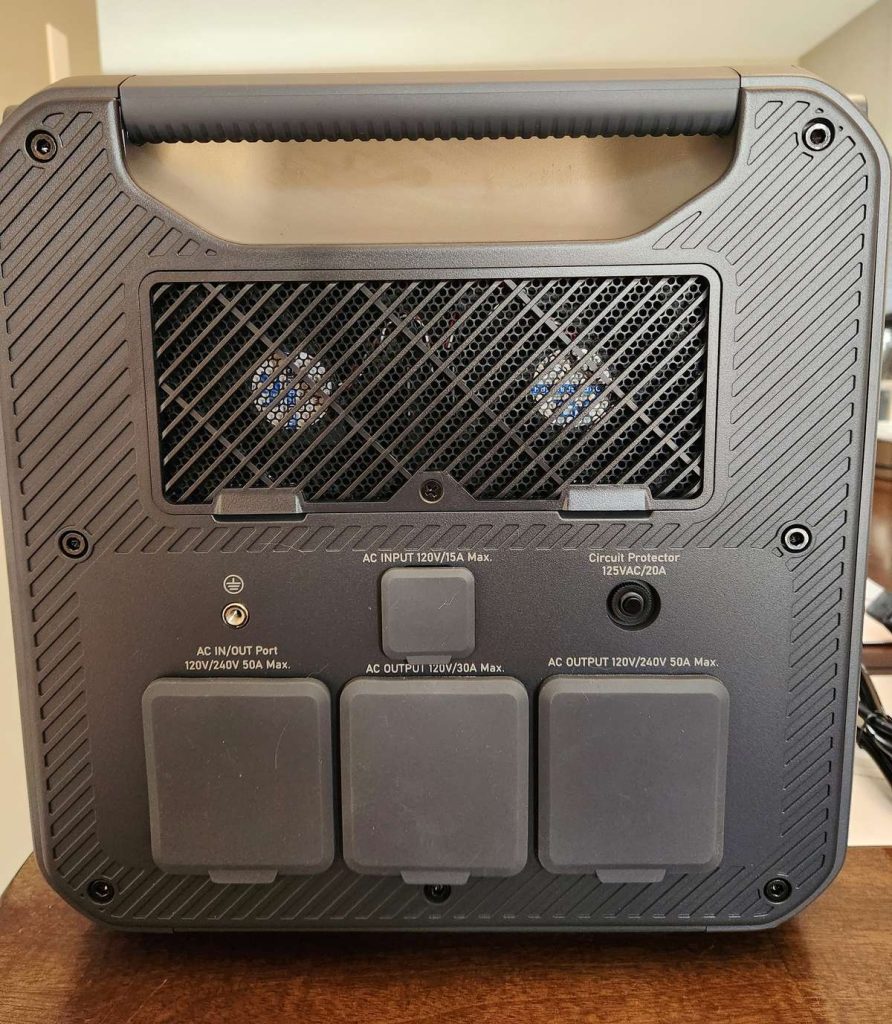
The side panel in the photo above houses our Apex 300 base unit’s higher powered AC connections. The upper port is the standard 120V/15A AC input used for charging from a household outlet. Below it are a 120V/240V 50A AC input/output port, a 120V 30A output and a 120V/240V 50A output for compatible higher-capacity setups. The panel also includes a circuit protector, grounding connection, cooling vent and protective port covers.
Using the Apex 300 in an RV
Our main focus for this review is home backup, though the Apex 300 is also designed for RV use.
It includes a TT-30 connection that can provide shore power to a compatible RV. The optional Hub D1 adds DC connections for lights, fans, water pumps and other RV equipment.
With 3,840W of output, it can also handle many higher-powered RV appliances, depending on the specific equipment and total load.
The Apex 300 can be charged using campground power, solar panels, a compatible generator, an EV charger or BLUETTI’s Charger 1 system while driving.
BLUETTI has more information about its current RV systems in its Open Road, Fully Powered RV energy campaign.
The biggest practical consideration for RV use is weight. At almost 84 pounds, you’ll want to plan where it will sit and how you’ll move it.
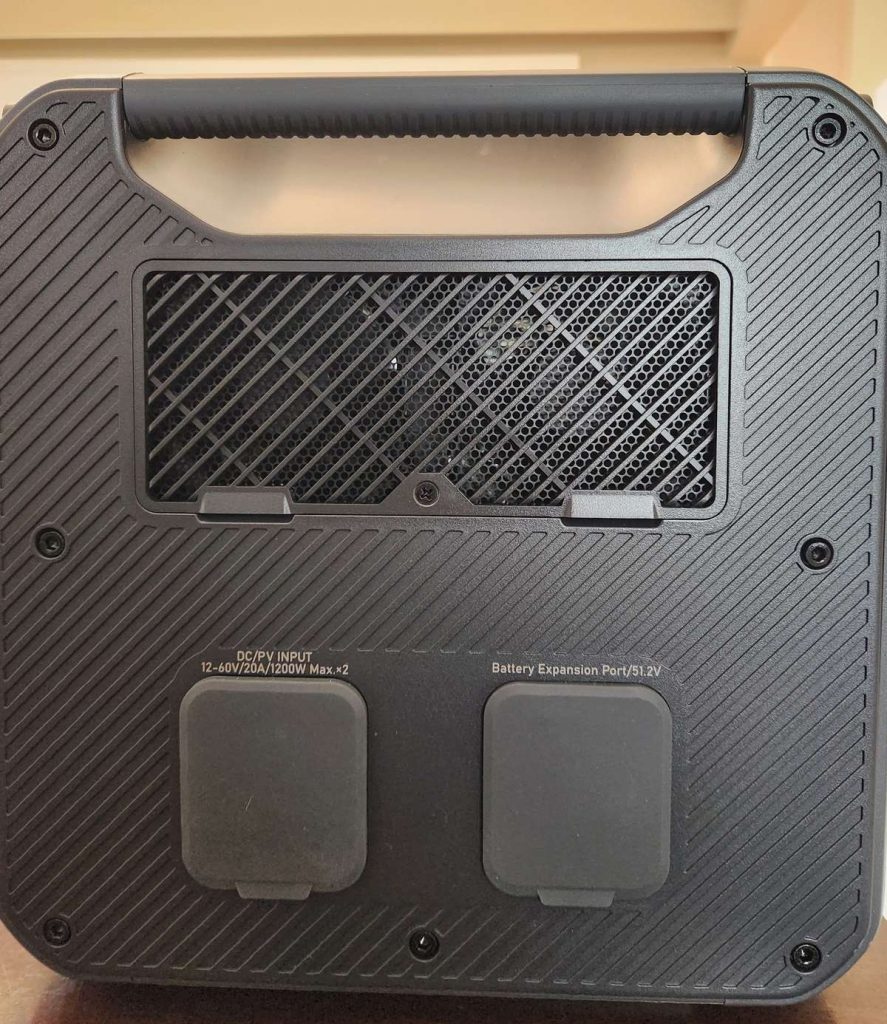
This side of our Apex 300 unit above includes two covered DC/PV inputs. These are used for compatible solar or DC charging. The DC/solar input is rated for 12 to 60V, 20A and up to 1,200W x 2. Beside them is the 51.2V battery expansion port for connecting an additional BLUETTI battery. The cooling vent and built-in handle sit above the ports.
What we liked about the BLUETTI Apex 300
Our early highlights include:
- Strong 3,840W output from one unit
- Useful 2,764.8Wh starting capacity
- Enough power for a complete home office setup
- 0ms UPS functionality
- Both 120V and 240V support
- Expandable battery capacity
- Several charging options
- Long-rated LiFePO4 battery life
- App monitoring and controls
- The option to build toward partial or whole-home backup
What to consider before buying
The main considerations include:
- At approximately 84 pounds, it’s not light
- USB and DC outputs require the optional Hub D1
- Whole-home integration requires additional equipment
- Large configurations can become expensive and complex
- The unit needs to be protected from rain and outdoor weather
- Buyers need to check what’s included with each bundle
Who is the BLUETTI Apex 300 best for?
The Apex 300 is best suited to someone who wants more than basic emergency charging.
It could be a strong fit for:
- People who work from home
- Households that need backup power for refrigerators and other appliances
- RV owners with substantial power needs
- People preparing for storms, wildfires or unreliable grid power
- Homeowners who want to add more battery capacity later
- Anyone looking for an indoor alternative to running a gas generator
- People considering a future partial or whole-home backup system
It may be more power than you need if your main goal is charging a phone, running a lamp or keeping one laptop alive. Smaller BLUETTI units are lighter and easier to move for those situations.
The Apex 300 makes sense when you want enough capacity to continue living and working with fewer compromises.
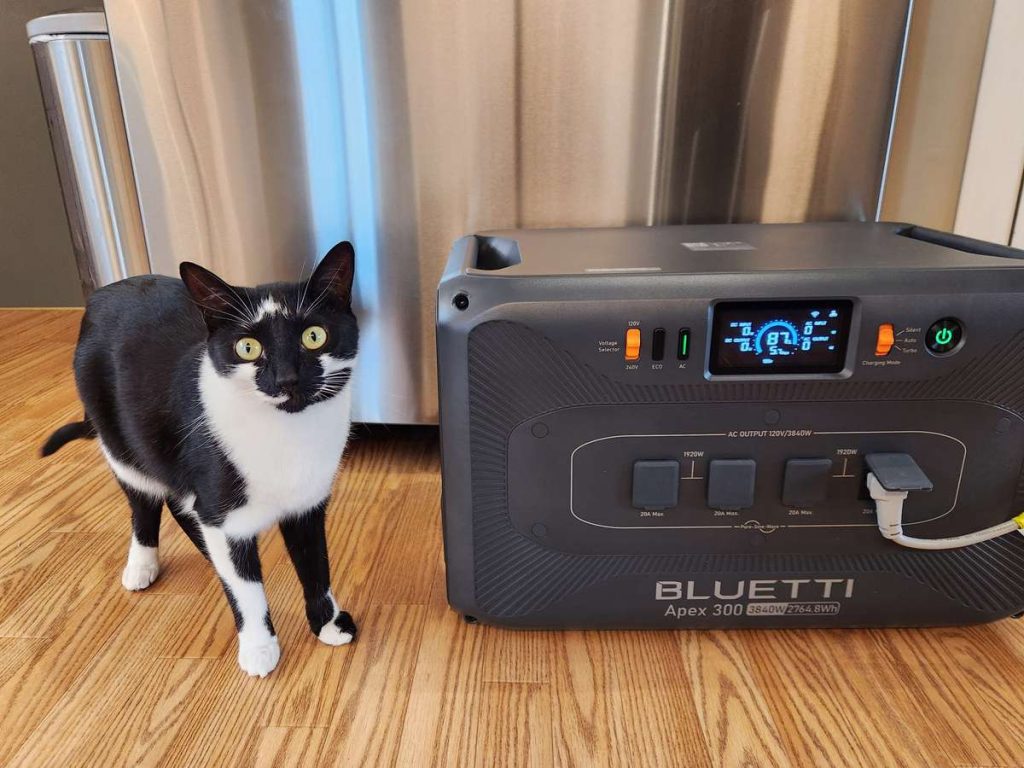
BLUETTI Apex 300 review verdict
The BLUETTI Apex 300 sits between a conventional portable power station and a permanently installed home battery system.
One Apex 300 is immediately useful. You can charge it from a household outlet, plug in the equipment you care about and have nearly 2.8kWh of stored energy ready for an outage.
For us, one of its most practical uses is home office backup. It has enough power to keep laptops, monitors, phones and camera batteries running when deadlines don’t disappear along with the electricity.
It can also support household essentials, including refrigeration, lighting and selected kitchen appliances.
The Apex 300 really shines when compared to Bluetti’s Elite lineup when you look at what can be added later. Expansion batteries provide more runtime, while additional Apex units and home integration accessories can create a much larger backup system. With both 120 and 240V support, there’s just a lot of possibilities there.
You can start with the power you need today and build from there.
Our final hands on verdict after all of our testing, is that this Apex 300 is the unit that we want in the house when the power goes out. It can handle heavy loads, and it could keep our Home Office running 24/7 for days.
You can see the current packages and pricing on the BLUETTI Apex 300 product page.
Use code BFNApex300 for an extra 6% off the BLUETTI Apex 300 series on the BLUETTI Canada website.
In the USA? Shop the BLUETTI USA site.